What exports contain, what they quietly omit, and how to sequence a move so that delivery and permission history survive it.
Every vendor has an incentive to describe migration as simple, because every vendor wants the migration to happen. Export a file, import a file, rebuild a template, done. The mechanical part really is close to that. What makes migrations go wrong is not the file transfer but everything attached to the contacts that does not appear in a spreadsheet column.
The most commonly lost record is the one that matters most: why each contact is on the list. Consent source, consent date, and the topic a person agreed to are the difference between a list an organization can defend and a list it merely possesses. Those fields are frequently absent from a standard export, and once they are gone there is no way to reconstruct them. A team that discovers this six months later has a functioning email program with no evidence behind it.
What an export contains, and what it leaves behind
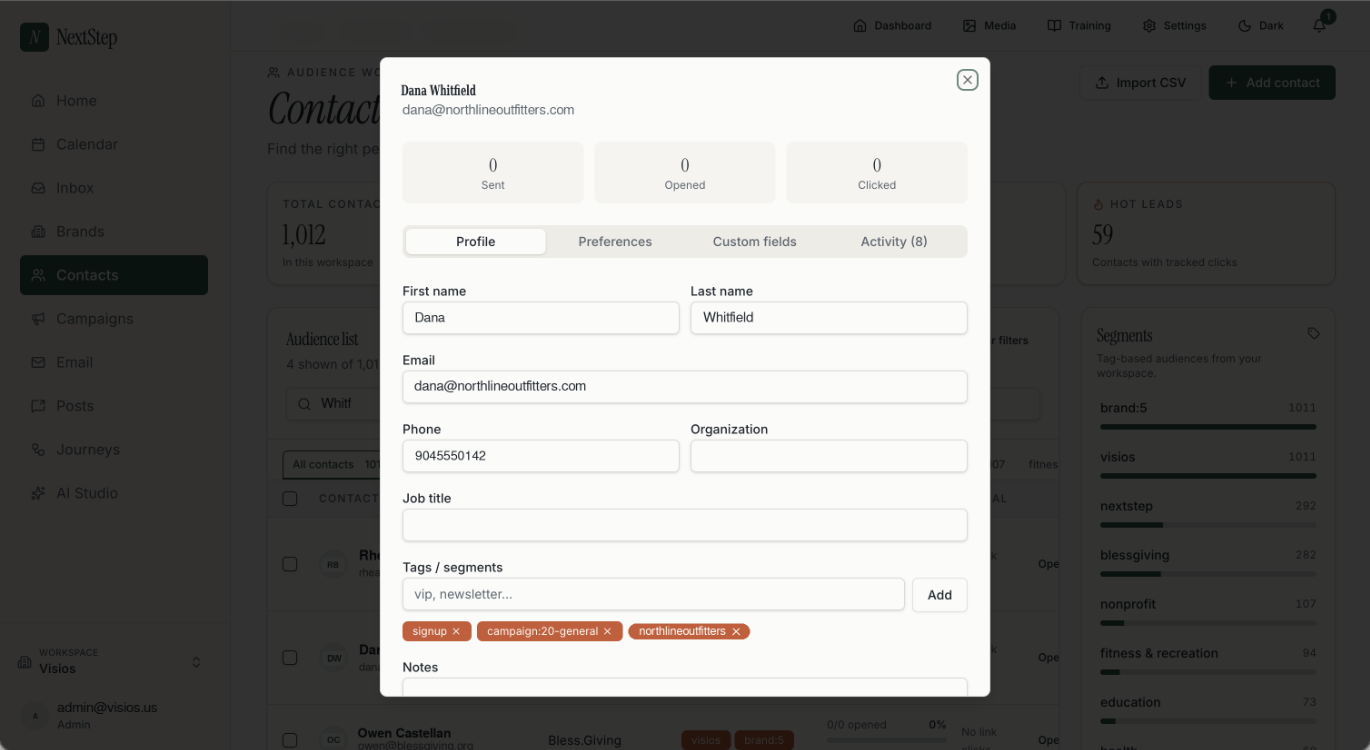
A typical export gives email address, name fields, custom fields the team created, tags or segment membership, subscription status, and often a signup timestamp and IP address. That is a reasonable foundation and enough to start sending.
What is usually thin or missing: the specific form or campaign a contact came from, the topic-level permissions if the platform supported them, the full history of status changes, the reason a contact was suppressed, engagement history beyond summary counts, and any record of double opt-in confirmation. Some platforms include portions of this in separate exports that have to be requested individually. Some do not retain it in exportable form at all.
Before exporting anything, list the fields the organization actually relies on to decide whether a person should receive a message. Then check each one against what the platform will hand over. Where a field exists only inside the old system's interface, decide whether to capture it manually, accept the loss and document it, or reconsider the migration. That check takes an hour and is the single most useful hour in the project.
Consent provenance is the record worth protecting
Consent is often treated as a binary stored in a subscription status column. In practice it has at least three dimensions, and collapsing them loses information the organization needs.
Source answers where the permission came from — a newsletter form, a purchase checkbox, an event registration, an imported list from a prior system. Different sources carry different weight, and some carry none. A contact whose source is "imported from spreadsheet, origin unknown" is a contact nobody can vouch for.
Date determines whether the permission is still meaningful. Someone who subscribed eleven years ago and has not engaged since is technically opted in and practically a stranger. Regulations in several jurisdictions treat consent as time-limited, and even where they do not, recipients do.
Topic determines what the person actually agreed to receive. Someone who signed up for event announcements did not necessarily agree to a product newsletter. Where a platform supports topic-level consent, that structure has to be recreated deliberately in the new system; it will not survive a flat contact export on its own.
Preserve all three, in explicit fields, in the new platform. If the old system did not capture them, this is the moment to start — the migration is the last convenient opportunity to establish the structure before the list grows further on top of an undocumented foundation.
Suppression lists move first, not last
Unsubscribes, complaints, and hard bounces accumulate into a suppression list, and that list is the most consequential thing being moved. Sending to someone who previously opted out is a compliance failure and, more immediately, a near-guaranteed spam complaint from someone who already told you once.
Migrations break suppression in a predictable way. The active contact list gets exported and imported first, because it is the obvious priority. Suppressed contacts are handled afterward, or forgotten, because they are not part of the audience anyone is thinking about. Between those two moments there is a window in which the new platform's database contains people who should never receive anything and has no record saying so. If a test campaign or an automated welcome journey fires during that window, it reaches them.
Import suppression before active contacts, or at minimum in the same operation, and verify the count before enabling any sending. Then verify it again after any subsequent import — re-uploading an older file is the most common way suppression gets silently undone, particularly when a team is consolidating several sources at once.
Note also that suppression should generally be organization-wide rather than per-brand or per-list. Someone who opted out of one program and then receives mail from another has not experienced a technical distinction between audiences. They have experienced being ignored.
Historical reporting rarely transfers
Campaign history, open and click data, and year-over-year comparisons generally do not move between platforms. Some vendors offer partial import; most do not, and the data models rarely align well enough for the result to be trustworthy.
Decide in advance what matters. For most organizations the answer is a small set of summary figures — list growth by year, send volume, engagement trend, top-performing campaigns — rather than the full record. Export those as a static archive before losing access, and store them somewhere that does not depend on either platform. A PDF or spreadsheet in the organization's own drive is sufficient and will still exist in five years.
Also decide what to tell whoever reads the reports. If a board or a client sees a metrics dashboard each quarter, the discontinuity needs explaining before it appears, not after. The comparison across the migration boundary will not be apples to apples regardless of how carefully the move is executed, and saying so in advance is considerably better than being asked about it later.
Sending reputation partly resets
This is the part most migration guides omit, and it causes more short-term damage than any data issue.
Mailbox providers build reputation against sending infrastructure and against the sending domain's authentication configuration. Moving platforms changes the infrastructure. If the organization also changes its authentication setup — new SPF includes, a new DKIM selector — some of the accumulated signal that made messages deliverable no longer applies. The domain is not starting from zero, particularly if it has a long history and an unchanged From address, but it is not carrying everything forward either.
The practical consequence is that the first campaigns from a new platform should not be the largest. Sequence them the way a new sender would: start with the most engaged segment, keep volumes modest, watch the send log for bounces and failures, and widen only once delivery looks normal. Resist the temptation to prove the new platform works by immediately sending to everyone.
Complete the authentication configuration on the new platform before the first send rather than after. Sending from a platform address while a custom domain is pending is a legitimate interim step, and better than sending from a misconfigured custom domain. The deliverability considerations here are covered in more depth in the guide on why marketing email goes to spam when your list is small.
Running both systems in parallel: one rule
A parallel period is sensible. Both platforms are live, the new one handles a subset of work, and the old one remains available if something is missing.
The rule that makes it work: exactly one system may be edited at a time for any given record. If contacts can change in both places, the two copies diverge immediately, and reconciling them afterward is worse than either original problem. Choose which system is authoritative for contact data on a specific date, communicate it, and remove edit permissions in the other. Read access can remain.
Keep the parallel period short and bounded by a date, not by a feeling of readiness. Open-ended parallel running becomes permanent, and the organization ends up paying for two platforms while maintaining data in both — which is the situation described in what to do when your marketing lives in six different tools, arrived at deliberately.
A workable sequence
Audit which fields the organization relies on, and confirm each is exportable.
Export everything: contacts, suppression, forms, templates, campaign summaries, automation definitions. Store the raw exports unmodified.
Clean before importing, not after. Remove records that should not move, and document what was removed and why.
Configure authentication on the new platform and verify the sending domain.
Import suppression and bounce lists. Verify counts.
Import active contacts with consent source, date, and topic mapped to explicit fields. Verify counts and spot-check individual records rather than relying on totals.
Rebuild templates and any automated journeys. Review entry criteria and stop conditions rather than replicating them blindly — a migration is a good moment to notice that a sequence has been running unattended for two years.
Send a small test campaign to an internal or highly engaged segment. Check delivery, rendering, links, reply address, and unsubscribe handling.
Set the cutover date. Close edit access on the old system.
Ramp volume over several sends rather than all at once.
After a defined parallel period, complete final exports and close the old account — checking first that no forms, integrations, or scheduled sends still depend on it.
Do not schedule a cutover immediately before a major campaign, during the organization's busiest period, or when the people who understand the configuration are unavailable.
When not to migrate
Switching costs are real, and a smaller monthly bill is often not worth them. Migration consumes staff time, interrupts reporting continuity, introduces delivery risk, and requires rebuilding templates and journeys that currently work.
Staying is usually right when the current platform's shortcomings are annoyances rather than blockers, when the team lacks capacity to run the project properly, or when a critical integration exists only on the current platform. It is also right when nobody has clearly identified what problem the move solves — "the new one looks nicer" produces migrations that get abandoned partway, which is the worst possible outcome because it leaves the organization maintaining two half-configured systems.
Moving is justified when a specific constraint is blocking work the organization needs to do — a cost trajectory that does not fit the budget, a seat limit preventing a required review step, an entire channel living outside the tool, or a data structure that cannot represent how the organization operates. When that is the case, migrate deliberately, protect the consent record above everything else, and ramp the sending slowly. The list is the asset. The platform is a place to keep it.